
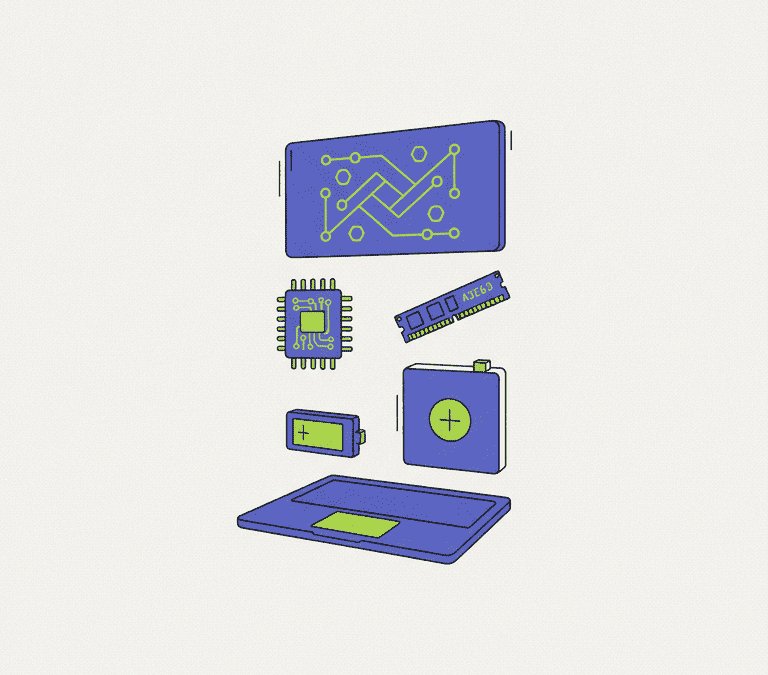
Walk into any store, scroll any retailer, and a laptop arrives as a list of numbers: a processor name, a memory figure, a storage capacity, a screen size. Those numbers matter. But they are arranged to make you stare at whatever the manufacturer most wants to sell. The better question is not which laptop has the biggest numbers. It is which laptop will still feel good to use in three or four years. Answering that means understanding what each part actually does for you — and where the marketing quietly leads you astray.
This guide is deliberately evergreen. No specific models, no chasing this season’s chips, because those turn over constantly. The principles below have held across many generations of hardware, and they will keep holding.
Start With How You Actually Work
Before a single spec, be honest about your workload. The laptop that is perfect for one person is a bad call for another, and most buyer’s remorse comes from buying for an imagined life rather than the real one.
Mostly browse, write, watch video, run a handful of everyday apps? You do not need a powerful or expensive machine. You need a comfortable, reliable one. Edit photos or video, compile code, run virtual machines, keep dozens of tabs and apps open at once? Now you need more memory and a stronger processor. Play demanding games or do 3D work? A dedicated graphics chip enters the picture. Travel constantly? Weight and battery life may matter more than raw speed.
Write down the two or three things you do most. Every decision that follows should serve those — not some hypothetical future where you abruptly become a video editor.
The Processor: Enough Beats Maximum
The processor is where buyers overspend most. For everyday use, a current mid-range chip is plenty, and paying for the fastest option on the shelf rarely changes how fast a web page loads or a document opens. You will not feel it.
A few things are genuinely worth knowing. Processor families include lower-power variants built for battery life that trade away some speed — handy in a thin travel machine, frustrating in a workhorse. Chips also differ in core count, which matters for tasks that run many things at once, like video rendering or heavy multitasking. And in modern laptops the processor usually bundles in the graphics. That integrated graphics is fine for everyday work and light gaming. Serious gaming or creative GPU work, though, needs a separate, dedicated graphics chip — which adds cost, weight, and heat.
The practical rule: buy enough processor for your actual workload, then pour the savings into memory and storage, which are far likelier to become the real bottleneck.
Memory and Storage: Where Laptops Quietly Age
If there is one place not to economise, it is memory — RAM. Memory decides how gracefully your laptop copes with many things open at once. Too little, and the whole system crawls as it juggles what it cannot hold. For most people today, a generous helping of memory is the single best bet on a laptop’s lifespan, with more again for creative work, heavy multitasking, or demanding games.
And here is why it matters more than it used to. In a lot of modern laptops, the memory is soldered to the board — you cannot add more later. No upgrade path means you have to buy enough on day one. Where a machine does let you upgrade, treat that flexibility as a real plus.
Storage follows the same logic. Insist on a solid-state drive, an SSD. They are dramatically faster and more responsive than the old spinning mechanical drives, and they shape how quick the entire machine feels from the first click. On very cheap laptops, watch for slower storage that is technically solid-state but performs poorly — a proper SSD is worth the small premium. For capacity, ask where your files actually live. A modest drive is fine if most of them sit in the cloud. Keep large photo or video libraries on the device and you will want to size up.
The Display You Stare At All Day
You look at the screen every minute the laptop is on, yet it is one of the most undersold components on the sheet. A sharp, bright, accurate panel makes everything more pleasant. A dim, washed-out one makes even a fast laptop tiring to use.
Put a few things ahead of raw resolution. Brightness matters near windows or outdoors. Good colour coverage makes images and video look right, and it is important if you do any creative work. Panel technology affects viewing angles — wider angles mean the picture does not wash out when you tilt the lid or share it with someone. Finish matters, too: a matte, anti-glare surface is easier in bright rooms, while a glossy one throws back reflections. Higher resolutions look gorgeous but drink more power, so there is a genuine trade-off with battery life.
Battery, Heat, and Build: The Quiet Essentials
Three things rarely headline a spec sheet, yet they define daily life with a laptop.
Battery life is what frees you from the wall. Treat manufacturer estimates as optimistic — they are measured under gentle, unrealistic conditions — and go to independent reviews for real-world figures. Remember, too, that brighter screens, higher resolutions, and more powerful chips all drain the battery faster.
Thermal performance decides whether a laptop can hold its speed or whether it overheats and throttles under load. Peak benchmark numbers tell you what a machine can do for a few seconds. Sustained performance, which good cooling makes possible, tells you what it can do for an hour. This matters most for gaming and creative work. The reviews to trust are the ones measuring sustained clock speeds, not just peaks.
Build quality covers everything you physically touch: the keyboard, the trackpad, the hinge, the stiffness of the chassis, the webcam, the speakers, the ports. None of it shows up as a number. Yet a flexy keyboard or a mushy trackpad will irritate you every single day for years. Business-oriented laptops often invest more here, and spending a little extra generally buys a more solid, longer-lasting machine.
The Takeaway
The best laptop is not the one with the most impressive spec sheet. It is the one whose strengths are balanced and lined up with how you actually work. Buy enough processor, generous memory and storage, a screen you will enjoy looking at, and a body that feels solid in your hands. Read independent reviews for the things marketing buries — battery life, sustained thermal performance, keyboard feel. And whenever you can, go type on the keyboard and look at the screen before you buy. A few minutes of hands-on time tells you more than any spec sheet ever will, and the laptop that feels right is the one you will still be glad you chose years from now.