
AI features keep showing up everywhere — your phone, your laptop, your browser, half the apps you open. And a quiet question hides underneath all of it: where does the actual computing happen? Some AI runs right on the device in your hand. Some runs on remote servers in a data centre, the thing everyone calls the cloud. Sounds like a technical footnote. It is not. That split shapes your privacy, your speed, and whether a feature even works when you have no signal. Here is how to think about it.
Two Places the Computing Can Happen
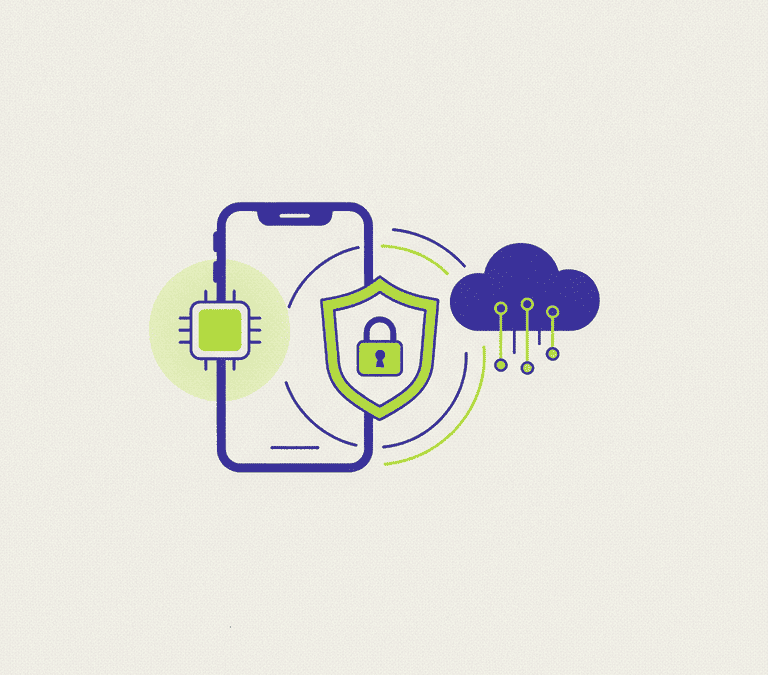
On-device AI — also called local or edge AI — runs the model on your own hardware. The work happens on your phone, tablet, or computer, using its own chips. Your input never has to leave the device to produce a result. Cloud AI flips that. Your device fires the request across the internet to a server, the heavy lifting happens there, and the answer travels back. Most of the powerful AI services you have leaned on at scale run in the cloud, because the biggest models need far more horsepower than any pocket-sized device can muster.
Neither one wins outright. They are trade-offs, and the right pick depends on the job. Once you know what each side gives up, AI features stop being a black box.
Why the Location Decides Your Privacy
The privacy question boils down to one thing: does your raw data leave the device? With on-device processing, your input — a photo, a voice clip, a block of text — can be analysed locally and never transmitted. That slams the door on a lot of exposure. No copy crossing the network. Nothing parked on someone else’s server by default.
Cloud processing is the opposite. Your data does leave. It goes to a provider, gets processed there, and may be stored for a while depending on the service. None of that is automatically dangerous. Reputable providers encrypt data in transit and run real security controls. But you are handing your information to a third party, and that means reading the fine print. Four questions tell you most of what you need: what do they keep, how long do they keep it, who can see it, and do your inputs get fed back into training future models?
Why “On-Device” Is Not a Magic Privacy Shield
Local processing shrinks your exposure. It does not guarantee privacy on its own. An app can perfectly well crunch something on the device and then upload the result, or quietly ship usage data on a separate channel. Where the computing happens is one signal, not the whole story. What actually decides things is the product’s real data practices — which is why the privacy policy and the in-app settings stay the place to look, no matter where the model lives.
Speed, Cost, and the Airplane-Mode Test
Privacy is not the only thing on the line. On-device AI answers without a round trip to a server, which often makes it feel instant for the right tasks and lets it keep working with zero internet. That is why local dictation, quick photo edits, and snappy text suggestions increasingly run on the device itself. Bonus: no per-request server bill, which suits features people hammer all day long.
Cloud AI trades that immediacy for raw muscle. Data centres hold enormous computing power, so the cloud can run far larger, far more capable models than your phone ever could. For demanding work — generating long, detailed responses, producing high-quality images, reasoning over piles of material — the cloud is almost always doing the heavy lifting. The price is dependence: on a connection, on the provider’s servers, plus all the privacy considerations of sending your data off the device.
Most Products Quietly Use Both
In the real world, the line is rarely clean. Plenty of modern products go hybrid. Lighter, latency-sensitive tasks stay on the device; heavier requests get routed to the cloud. A single app might handle one feature locally and ship another off to a server, often without making the difference obvious to you. Which is exactly why you cannot assume a whole brand or app is purely local or purely cloud. Where your data goes can hinge on the specific feature you happen to be using in that moment.
That blending is usually smart engineering, since it puts each task wherever it runs best. But it quietly hands you a little homework, because the privacy implications shift feature by feature rather than product by product.
Reading the Clues as a Regular User
You do not need to crack open the technology to make good calls. A few habits do the work. When a feature touches sensitive information, it is worth knowing whether it runs locally or in the cloud — and a lot of products now say so outright. Dig through the app’s AI or privacy settings, where you will often find a toggle for whether your data may be used to improve the service; flip it off if you would rather. Skim the privacy policy for plain statements about what gets sent, stored, and shared.
The product itself drops hints, too. A feature that keeps working in airplane mode is plainly running on the device. A feature that demands a connection and pauses to “think” is very likely phoning the cloud. Neither is something to fear. Each just deserves a slightly different level of care depending on how sensitive your input is. And when you genuinely cannot tell, a quick search for how a specific feature handles your data usually beats guessing.
The Bottom Line
On-device and cloud AI are not really rivals. They are tools for different jobs. Local processing favours privacy, speed, and offline use. The cloud favours raw capability for the demanding stuff. Since most products mix the two, the smart move is to think feature by feature, not brand by brand. For anything sensitive, prefer features that run locally where you can, check the settings to control whether your data trains future models, and read the policy for what genuinely gets sent and stored. A little awareness goes a long way — and it lets you enjoy the convenience of AI without handing over more than you meant to.