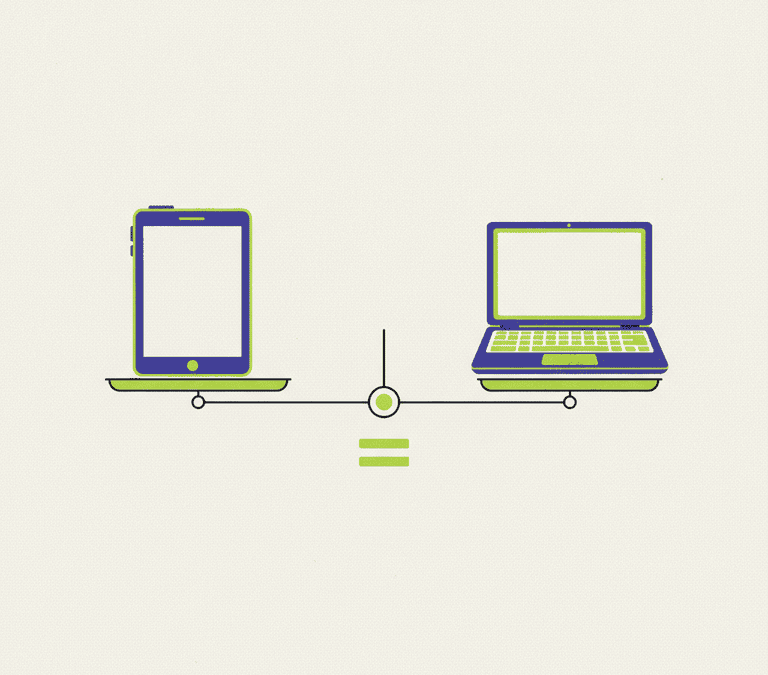
“Tablet or laptop?” might be the most-asked question in consumer tech, and the honest answer is a shrug followed by another question: what are you actually going to do with it? The two categories have crept toward each other for years. Tablets got serious. Laptops grew touchscreens. But under all that convergence they still quietly favour different people. The way to decide isn’t to compare spec sheets. It’s to be honest about how you really work.
So start there. Before a single feature, nail down your primary use case. Not the glamorous thing you picture doing once. The dull stuff you’ll do almost every day. That one honest answer steers you better than any side-by-side comparison ever will.
Where Tablets Shine
A tablet is built around a touchscreen and a light, get-out-of-the-way feel. For a huge slice of everyday life, that’s simply a nicer thing to hold.
- Consuming, not creating. Browsing, streaming, reading, scrolling social, the odd casual game: a tablet usually beats a laptop here. You can hold it in bed, slouch with it on the sofa, prop it on a train tray, no hinge and keyboard jutting into the way.
- Portability. Tablets tend to be thinner and lighter, wake instantly, and slide into a bag without ceremony. Battery life is often excellent because the hardware sips power.
- Touch and pen. Sketching, scribbling handwritten notes, marking up a PDF, nudging a photo edit with a stylus, all of it feels natural on a tablet in a way a traditional laptop just can’t match.
- Simplicity. Tablet operating systems are streamlined and app-focused. Plenty of people find that less intimidating and easier to keep tidy.
Where Laptops Still Win
Once the work gets heavy and structured, the old-fashioned laptop is still hard to beat. The keyboard, the bigger storage, the desktop-grade software, those stop being nice extras and start being the whole point.
- Real typing, real productivity. A built-in keyboard and trackpad, a desktop-class OS, and proper multitasking with overlapping windows make laptops far better for writing, spreadsheets and long stretches of focused work.
- Demanding software. Loads of professional apps, development tools and full desktop programs only run properly on a laptop. If your work hinges on one specific desktop application, that single fact can settle the whole decision on the spot.
- Files and connections. Laptops generally make file handling more straightforward, offer more ports for accessories and external displays, and cope better with tangled folder structures.
- Deep multitasking. When you need several windows side by side and you’re constantly hopping between them, a laptop’s interface handles the juggling more gracefully.
The Convergence Has Limits
It’s tempting to assume that a tablet plus a snap-on keyboard just becomes a laptop. Sometimes it gets close. But there are real ceilings worth knowing before you bet on one device doing everything.
- A keyboard doesn’t rewrite the software. Snapping one on improves typing, sure. The tablet’s operating system, its app versions, its multitasking model, those still aren’t a full desktop. Some tasks stay clumsier than you’d like.
- App versions get trimmed. Tablet editions of popular programs are sometimes lighter than their desktop siblings, quietly missing features power users lean on.
- Laps are awkward. Detachable keyboard covers tend to want a flat desk. Balanced on your knees they wobble, where a clamshell laptop just sits there, solid.
- The extras add up. A keyboard, a stylus and a case can shove a tablet’s real price right up against a capable laptop. Compare full configurations, not the bare slab.
Six Questions That Settle It
Answer these honestly and the choice usually makes itself.
- What will I do most? Mostly watching, reading, browsing? Tablet. Mostly typing, multitasking, running desktop software? Laptop.
- Do I need a specific program? If one particular desktop app is non-negotiable, check whether it truly runs well on a tablet before anything else even matters.
- How do I like to type? Heavy writers almost always come back to a real keyboard and a desktop interface.
- Do I draw or handwrite? If pen input sits at the centre of your work or your hobby, the tablet has a clear edge.
- Where will I use it? Around the house and on the move leans tablet. At a desk, or for long structured sessions, leans laptop.
- What’s my real budget? Count the accessories you’ll genuinely buy, not just the sticker price on the device.
Pick Your Profile
A few familiar types make the trade-offs concrete.
- The casual user who mostly browses, streams and messages is usually happiest with a tablet, for the comfort and the simplicity.
- The student or professional who writes constantly, wrangles documents and depends on desktop software is generally better off with a laptop.
- The creative who sketches, paints or annotates leans tablet, maybe with a second device parked nearby for the heavier lifting.
- The “I want one device for everything” person usually ends up better served by a capable laptop, because it covers the widest range of tasks even if it’s less delightful flopped on the sofa.
A handful of ownership realities deserve a seat at the table too. Think total cost, not sticker price, because a tablet can look like the cheaper choice right up until you add the keyboard, stylus and case it actually needs. Weigh longevity and repairability: laptops are often easier to service or upgrade, while tablets tend to be sealed shut. Consider comfort over the long haul, where a bigger screen, a proper keyboard and a stable sitting position quietly protect your posture and your eyes. And factor in the ecosystem you already live in, because a device that slots neatly beside your existing files, services and peripherals will frustrate you far less than one that fights them.
So, Which One?
There’s no universal winner here, only the right tool for your habits. Go tablet if your days are full of consuming content, light tasks, touch and pen input, and you prize being able to grab it and go. Go laptop if you do serious typing, deep multitasking, or you depend on full desktop software. Genuinely need both kinds of capability and can only buy one? A laptop covers the broadest ground, while a tablet rewards lives that tilt casual, mobile and creative. Decide on the work you really do, price it with the accessories you’ll actually use, and you’ll land on the device that serves you for years.