It’s tempting to assume getting organized means opening your wallet. It almost never does. A small set of free tools covers what most people actually need, and the gap between an app that quietly improves your week and one that becomes pure digital clutter has nothing to do with price. This guide skips specific brand names, which change with the seasons anyway, and instead walks the categories of free productivity software worth your attention: what to look for in each, and how to choose so the tools work for you instead of the reverse.
Name the job before you download the app
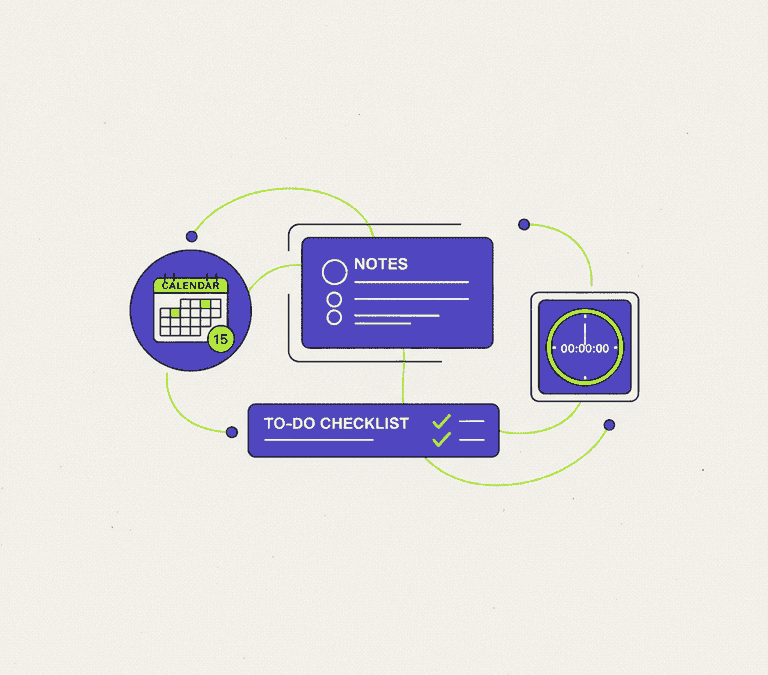
The most common productivity mistake is collecting apps because they look impressive, then wondering why nothing in your life actually changed. Start somewhere better. Name the job you want done. For the vast majority of people, three jobs cover almost everything: capturing thoughts and information so nothing slips through, tracking the things you need to do, and managing your time and commitments. Frame it that way and you can usually find one free, capable tool for each, and you dodge the fourth, fifth and sixth app you’ll never open again.
It helps to be honest about how you already work, too. Live in your email and calendar? A tool that plugs in there will stick. Think on paper? A notes app that mimics a loose, flexible page will feel natural, where a rigid database will fight you. The best app is simply the one that matches your existing habits closely enough that using it doesn’t feel like a second job.
The core categories worth installing
Forget chasing trends. Anchor on a few durable categories instead. Within each, genuinely good free options have existed for years and will keep existing, because the underlying need never goes out of date.
- A note and capture app: one trusted place to jot ideas, save links, keep meeting notes, write the occasional longer document. The make-or-break trait is fast, frictionless capture, because a note you can’t get into quickly is a note you simply won’t take.
- A task or to-do manager: a list you actually trust, where you can add something in seconds, set a due date, and see what matters today. The whole point is dragging commitments out of your head and into a system you’ll check.
- A calendar: the backbone of time management, ideally one that syncs across your devices and can layer multiple calendars, work and personal, into a single view.
- A focus or time tool: something dead simple to protect blocks of attention, whether that’s a basic timer for focused sessions or a tool that shows you where your hours actually go.
- A read-it-later tool: a place to stash articles for when you have time, so the browser tabs stop breeding and your reading happens on purpose instead of by accident.
- A document and office suite: for writing, spreadsheets and presentations, where strong free options, open-source suites included, handle just about everything most people need.
You don’t need every category at once. Most people get the biggest gains from the first three alone. Add the rest only when you feel a specific, nagging pain one of them would solve.
“Free” comes in several flavors
Before you commit, it’s worth understanding the different kinds of free, because each one carries its own trade-off. The word covers several models, and knowing which one you’re dealing with heads off the unpleasant surprise later.
- Open-source and free: the software is free and its code is out in the open, often kept alive by a community or a nonprofit. These tend to respect your control over your own data and rarely vanish behind a paywall, though the polish and support can vary.
- Free tier of a paid product: a capable free level with limits on storage, item counts or advanced features, engineered to nudge you toward upgrading. These can be excellent if the free limits comfortably fit you. Just confirm the limits before you lean on the tool.
- Free but ad-supported or data-funded: it’s free because it shows ads or leans on your data somehow. That can be a perfectly acceptable trade, but read the privacy policy so you actually know what you’re handing over.
None of these is inherently bad. The goal is just to choose with your eyes open, so a tool you build a daily habit around doesn’t suddenly cap a feature you depend on, or use your information in ways you never agreed to in your head.
Vet a tool before you trust it
Once you’ve got a candidate in a category, a quick checklist saves you from pouring time into something that won’t last. Run these before you migrate any real work into it.
- Cross-device sync: does it work on every device you use, and stay in sync reliably? A task list living on one device fails the instant you walk away from it.
- Data export: can you pull your data out in a standard, usable format whenever you want? This is the single most important guard against lock-in. A tool that makes export painful is a red flag, full stop.
- Privacy and security: is it clear how your data is stored and used, and does the provider offer sensible protections? For anything sensitive, this weighs as much as features.
- Speed and reliability: does it open fast and behave the same way every time? Productivity tools live or die on whether they feel instant, because friction quietly kills habits.
- Active maintenance: is it still being updated? An abandoned app slowly cracks apart as operating systems march forward without it.
- Right-sized complexity: does it fit the job without burying you? A powerful tool you find baffling is worse than a modest one you reach for every day.
Avoiding the app-clutter trap
Here’s the irony of productivity software: collecting too much of it makes you less productive. Every new tool is another place to check, another stream of notifications, another small tax every time you switch between systems. The fix is deliberate restraint. Don’t install a second app in a category you’ve already covered unless the current one is genuinely failing you. And when you do try something new, give it a real trial in place of the old tool, not alongside it, then make a clean call and uninstall the loser. No hoarding.
A useful rule: consolidate wherever you reasonably can. Plenty of capable apps span more than one job, so a single notes tool might also handle light task tracking, or your calendar might manage reminders well enough that a separate app becomes pointless. Fewer tools means fewer places for your information to scatter and fewer habits to keep alive. What you’re after is a small, trusted set you reach for without thinking, not a sprawling collection you feel quietly guilty about ignoring.
The bottom line
You can build a genuinely effective free productivity setup by choosing deliberately instead of abundantly. Start from the jobs you need done, which for most people means a place to capture information, a task list you trust, and a calendar, then add other categories only when a real need shows up. Understand which flavor of free each tool uses so nothing blindsides you later, and vet every candidate for sync, export, privacy, speed and active upkeep before you rely on it. Above all, keep the set small. A few well-chosen free tools you actually use will do far more for you than a phone packed with apps you downloaded once and forgot existed.