Tech-support and phishing scams share one root: they’re confidence tricks, not technical attacks. The scammer isn’t really after your computer. They’re after your judgment. Manufacture enough fear and urgency and they can rush you into handing over money, passwords, or control of your device before you’ve had a second to think. Learn the playbook and the whole act falls apart. Here’s how these scams run, and how to shut them down.
How These Scams Typically Work
Tech-support scams usually open one of a few ways. An unexpected phone call from someone claiming to be at a well-known technology or software company. An alarming pop-up on a web page, often loud, often flashing a phone number, swearing your device is infected. Or an email or text warning of a problem with an account or a payment.
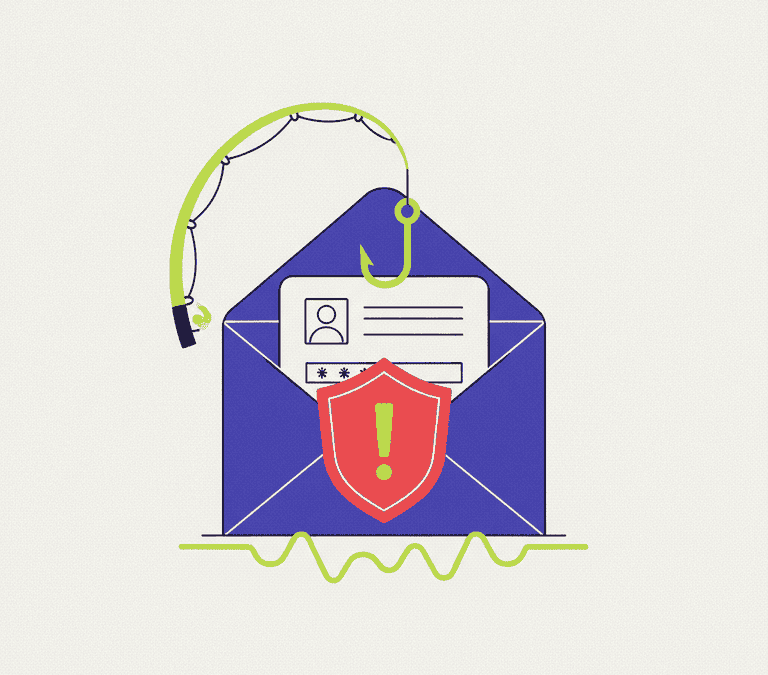
Phishing pulls the same emotional levers but shows up as a message built to look legitimate: an email, a text, a direct message. It nudges you to click a link, open an attachment, or “verify” your details on a page dressed up as a real company. Different doorway, identical goal. Get you to act fast, before you check whether a word of it is true.
The Red Flags That Give Scams Away
Nearly every scam of this kind carries one or more of these tells. Learn them and you’ll catch the overwhelming majority before any damage lands.
- Unsolicited contact about a problem you never reported. Legitimate companies don’t cold-call to announce your computer has a virus. They can’t see your personal device that way in the first place.
- Pressure and urgency. “Act now or your account closes.” “Your files will be deleted.” “The police are involved.” Urgency is the scammer’s main tool, because panic crowds out careful thinking.
- A request for remote access. A stranger asking you to install software so they can “fix” your computer remotely? Stop. That hands them your machine and everything on it.
- Unusual payment demands. Gift cards, wire transfers, cryptocurrency, payment apps. These are a near-certain tell, favored precisely because they’re hard to reverse and hard to trace.
- Requests for passwords or one-time codes. No honest support agent needs your password or the verification code texted to your phone. Anyone asking is trying to break into your account.
- Slightly wrong details. A sender address almost but not quite right. Odd grammar. A generic “Dear Customer.” A link whose real destination doesn’t match the company it claims.
What to Do When You Get a Suspicious Call
If someone phones claiming your device has a problem, treat the call itself as the threat. You owe a cold caller nothing, least of all your time on the line.
- Don’t confirm any personal information, and don’t follow any instruction to type commands or install anything.
- Hang up. Ending the call isn’t rude when the caller is almost certainly a scammer.
- Still worried it might be real? Look up the company’s official contact details yourself, from their website or a billing statement, and reach out directly. Never use a number the caller handed you.
The single most powerful move is to break contact and re-establish it on your own terms, through a channel you’ve independently verified.
What to Do With a Suspicious Message
Phishing emails and texts want you to click or reply. The safe answer is almost always to do neither until you’ve verified the sender some other way.
- Don’t click links or open attachments in an unexpected message, even one that looks like it’s from a company you use.
- Check the sender carefully, but don’t trust it blindly. Display names and sender addresses can both be faked.
- If the message claims to be from a service you use, open a fresh browser tab and go to that site by typing the address yourself, or open the official app. Log in there to look for genuine alerts. Never act through the link in the message.
- When something feels off, delete it. If it claims to be from your bank or another important account, contact that organization directly to confirm.
Pop-Ups That Claim Your Device Is Infected
A web page can’t actually scan your computer for viruses. So a pop-up screaming that you’re infected and demanding you call a number is a scam by design, full stop. Don’t call. Don’t type in any details. Close the browser tab or window. If a pop-up has seized the screen and won’t close, quitting the whole browser, or restarting the device, clears it. And remember: the number on that pop-up rings straight through to the scammer, so calling it is the exact thing they’re hoping for.
Habits That Keep You Safe
A few standing habits turn you into a much harder target over time:
- Turn on multi-factor authentication for important accounts. Even a stolen password stalls at the extra step, as long as you never read that code out to anyone.
- Use strong, unique passwords, ideally through a reputable password manager, so a breach of one service doesn’t unlock all the rest.
- Keep your devices and apps updated, which closes the security holes scammers and malware lean on.
- Slow down. Urgency is the weapon. Give yourself even a minute to think, or to ask someone you trust, and most of these schemes fall apart.
If You Think You Have Been Caught
If you acted on a scam, move fast and skip the shame; these tricks fool careful people every single day. Gave remote access? Disconnect from the internet, have the device checked, and change your passwords from a different, trusted device. Shared a password? Change it now, plus every account that reused it. Sent money or card details? Call your bank or card provider right away and ask about stopping or reversing the payment. Then report the scam to the relevant consumer-protection or fraud authority in your country, which helps protect the next person in line.
The practical takeaway: real companies don’t cold-call about viruses, don’t demand gift cards, and don’t need your passwords or remote control of your machine. When a message or call manufactures urgency, treat that feeling itself as the alarm. Pause, disengage, and verify through a channel you found yourself. That one habit defuses nearly every tech-support and phishing scam you’ll ever meet.